2020 Design Exercise, One week challenge
Case Study by Betsabeh Yeganeh
Your school wants to strengthen the community by encouraging experienced students to connect with new students and help them adjust to campus life. Design an experience that allows mentors and mentees to discover each other. Consider the needs of both mentors and mentees, including how someone may become a mentor and how to connect mentors to mentees.
Design Methodology Plan:
- Clarify
- Five Whys
- Research
- Mind Map
- Ideation
- Wireframe
- Visual System
- High Fidelity Design
- Miro
- Photoshop
- Figma
- HTML, CSS
Phase 1: DISCOVER
Clarify and reframe the design challenge
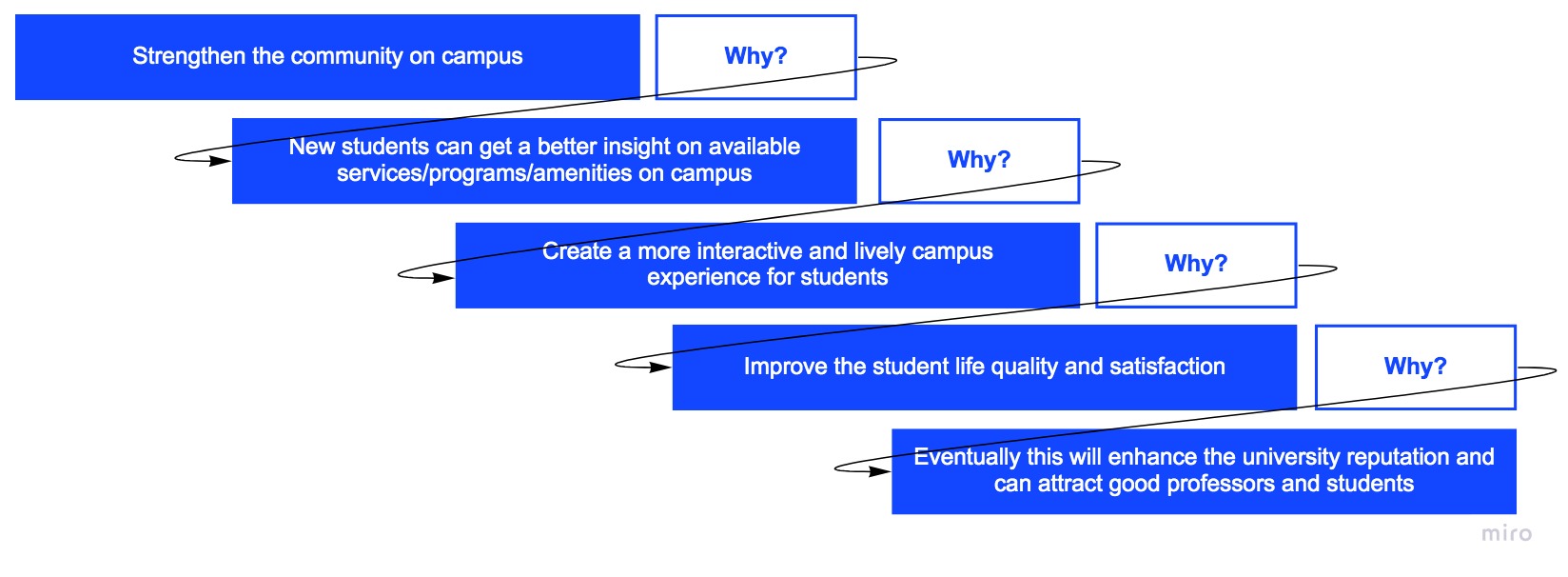
How to strenghten the community on campus.
How? By connecting students together.
How? By encouraging experienced students to help new students.
How? By accommodating the needs of both groups.
- Consider the needs of both
- Becoming a mentor
- Introduce mentees to the platform
- Discovering and connecting mentors and mentees
Five Whys Analysis
Research
I started my research by writing down the key factors in engaging experienced and new students on campus. I then studied user needs, who mentors and mentees are and what challenges exist to connect these groups together. Lastly, I researched on any published solution for a similar problem that involves engaging two different user generations and how they approached and resolved that knowledge gap.
Interview
Feeling and thoughts of experienced students
Due to the short time that I had for completing this project, I asked some of my closer friends who are graduating next term about the idea of mentoring freshmen. It was interesting that almost all of them mentioned that they are very busy with their graduation arrangements and all are worried about improving their GPA, and mainly focused on applying for jobs and securing their first employment. The idea of mentoring freshmen was not intriguing to them since their highest priority was to find a job.
Feeling and thoughts of new students
I managed to talk to a couple new students on campus as well and asked them what topics they wish to know more about. Their response ranged from some financial questions (how to get a job on campus, how to apply for bursaries and additional funding) to questions on where certain building and activities take place (logistics and navigational). They also mentioned that it is very difficult to quickly and easily find these information on the website. When I brought up the idea of connecting with some senior students to ask them some of these questions, they all thought that would be a fantastic idea.
Interviewing the Graduate Coordinator of the design department in CSULB
I managed to set up a meeting with our graduate coordinator and discussed the conversations that I had with both new and experienced students on the topic. I tried to understand the possible yet practical ways that I can motivate the senior students to get more engaged in supporting the new students (considering their stressful schedule and concerns on finding a job). During the discussions, I brought up the idea that if University could honor this voluntary work with some sort of a distinct badge or an award, that would greatly help them improve their resume by listing that under their voluntary work. Being recognized to have excellent mentorship to new students by University officials is something that can go a long way on their resume. The idea was well received by our Graduate Coordinator as something that can be coordinated with the University to introduce an award for such voluntary work.
Pain Points
After interviews and my initial thoughts, I recognized these pain points:
- Lack of time
- Lack of informative structure
- Lack of public platform for networking
Mind Map
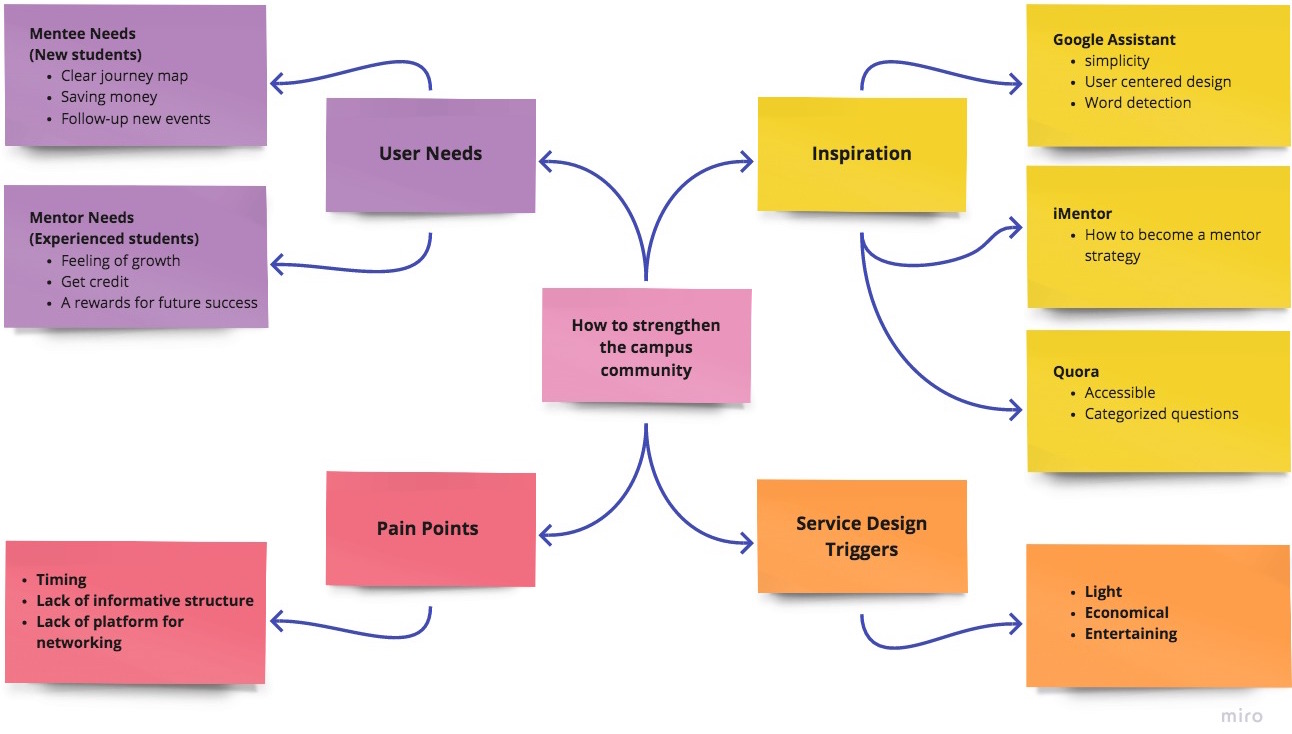
Based on the user interviews, their needs, and pain points, I categorized all the available information into a map with four categories as shown below. The flow chart map provided me with a good high level understanding of the problem and on what steps I need to take to facilitate this engagement.
Opportunities
Keeping all the categories in mind, I recognized these opportunities in high level:
- We should motivate experienced students to become a mentor.
- We should offer experienced students something that can positively affect their future job opportunities (credits to boost their GPA or something that adds value to their resume)
- As all are busy, we should offer a platform that saves their time.
Phase 2: DEFINE
Ideation
In this step, I tried to transform all my research into a mission statement:
Ask to learn and answer to build your future in a fun networking platform.
My focus for ideation was on these 5 categories:
Informative, Engaging, Connection, Satisfaction, Gamification
So, the main purpose of this app should be to create:
- An easy and quick accessible platform for asking questions
- An accurate information platform for mentees
- A rewarding system for mentors when they answer questions
- A place for having in-person and digital networking
- A fun and exciting experience for both mentors and mentees to use this app
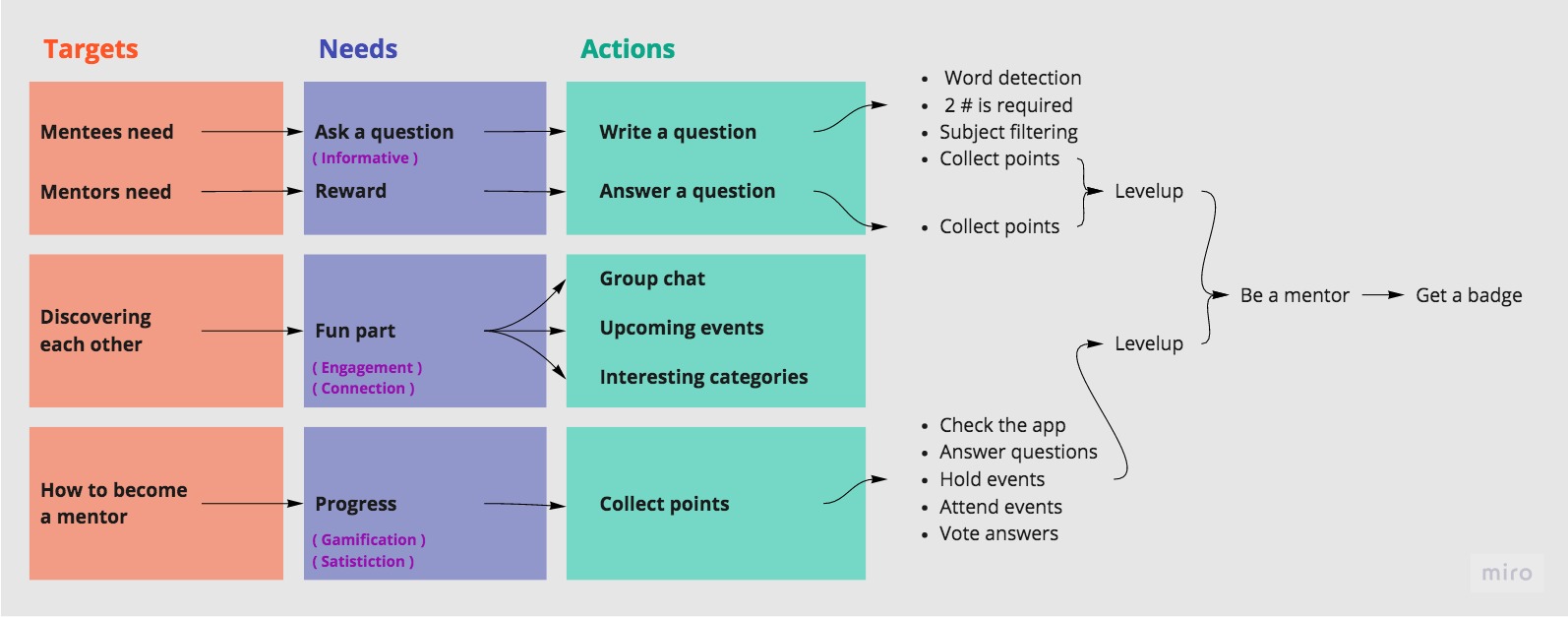
Actions to satisfy user needs based on an application:
This flow chart is based on 5 main goals of creating this app that I tried to simplify the mentee and mentor journey.
Phase 3: DEVELOP
Based on the flow chart and app features, the app has three main focus areas :
- Home (Question part, Networking)
- Events (Networking, Information)
- Profile (Achievements)
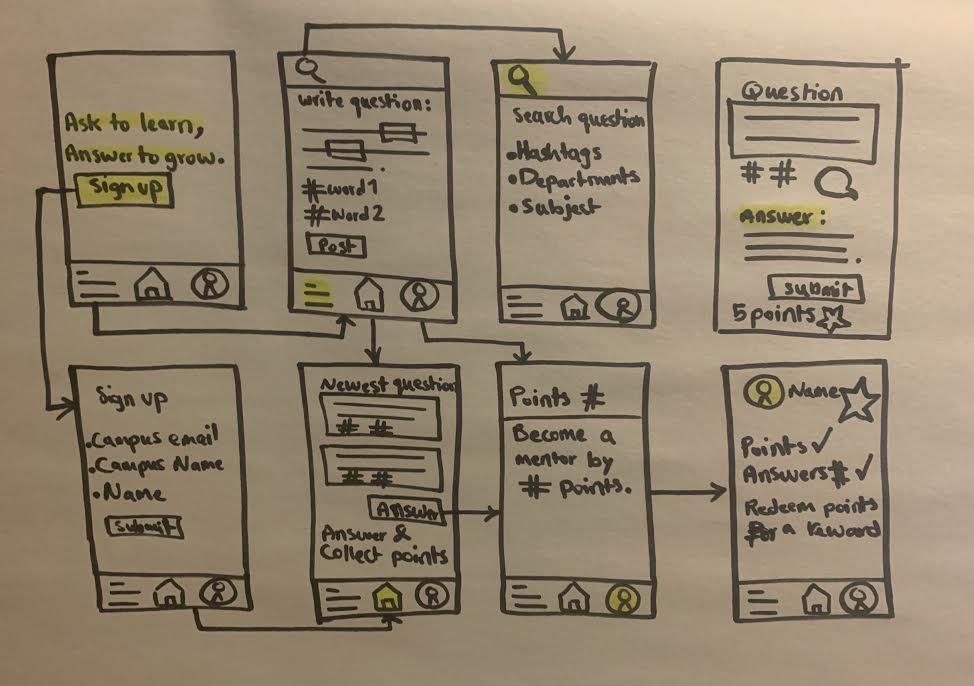
I sketched out my first ideas of the main screens and how they would be connected. After a couple of iterations, I ended up with the following wireframe version.
Sketch Wireframe
How it works:
Users (mentees and mentors) can see the posted questions on the Home page. They can ask a new question or answer questions to collect points. Each question has at least two relevant hashtags based on the user choice or app word detection feature. Answering questions help students collect points and level up in the App. Mentees can transition and become into future mentors after collecting a certain amount of points. Mentors can hold events and answer questions proposed by mentees. Similar to mentees, mentors collect points and receives badges based on their level of contribution. These points and badges eventually help score and rank the mentors. Mentors will be able to exchange their badge with a reward certification for their teamwork from the University department and include that in their resume.
Phase 4: DELIVER
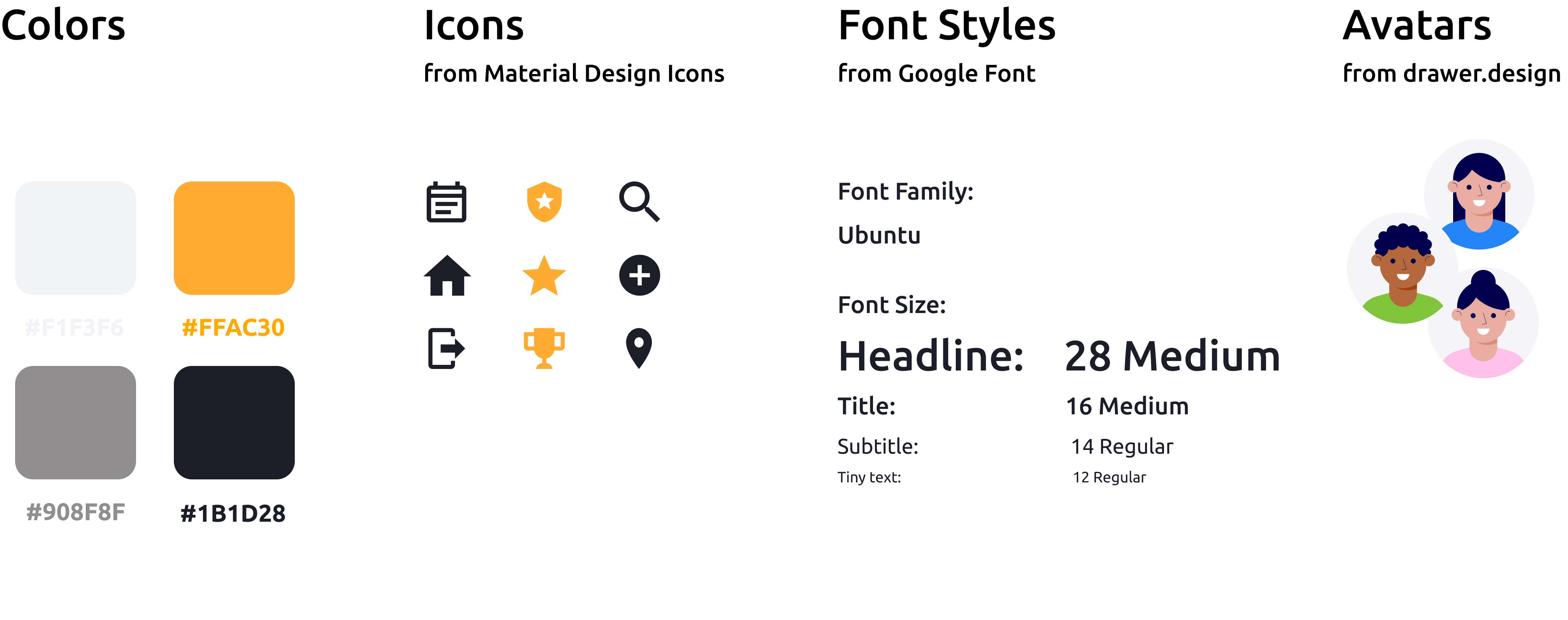
Visual System
High Fidelity Design
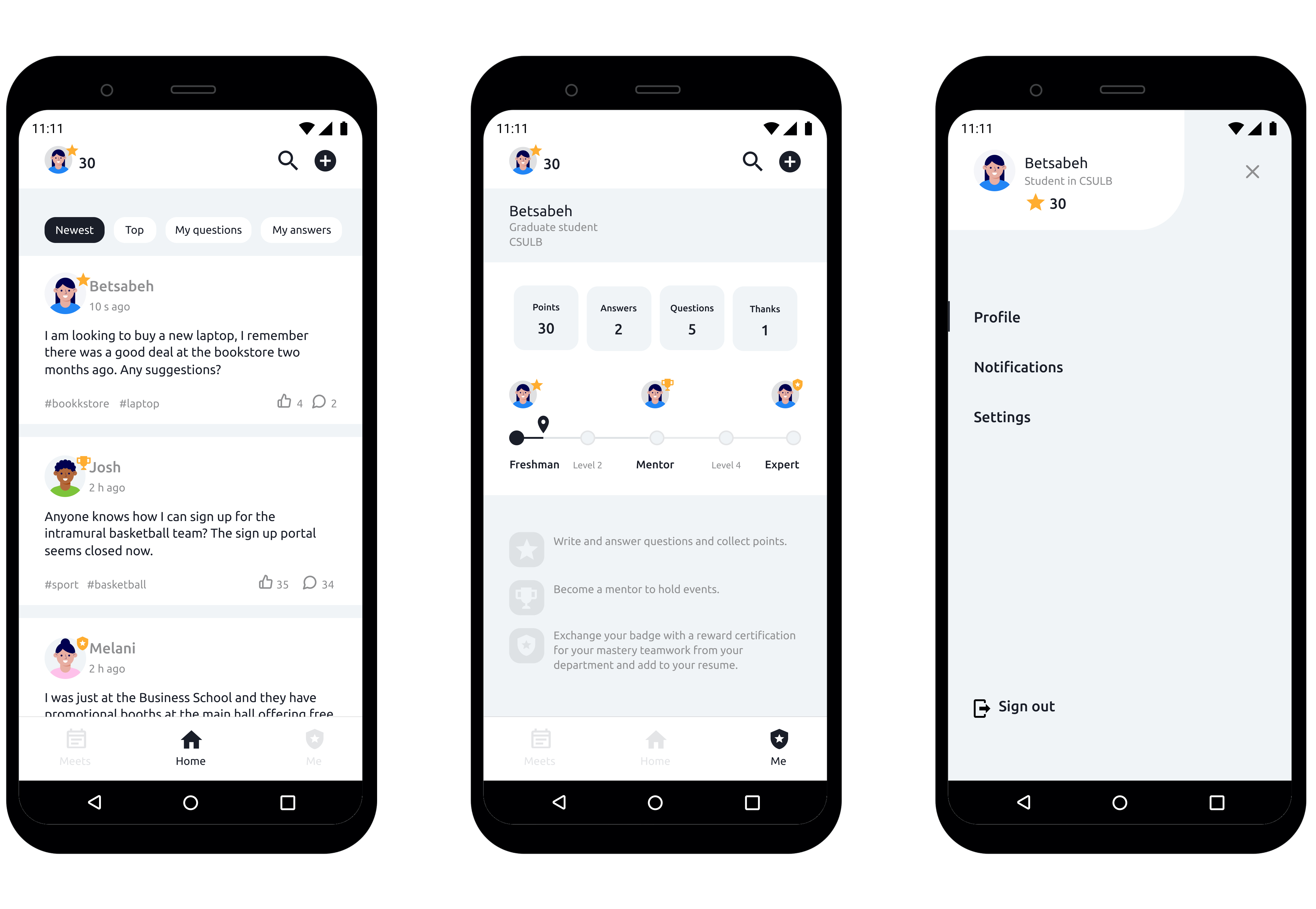
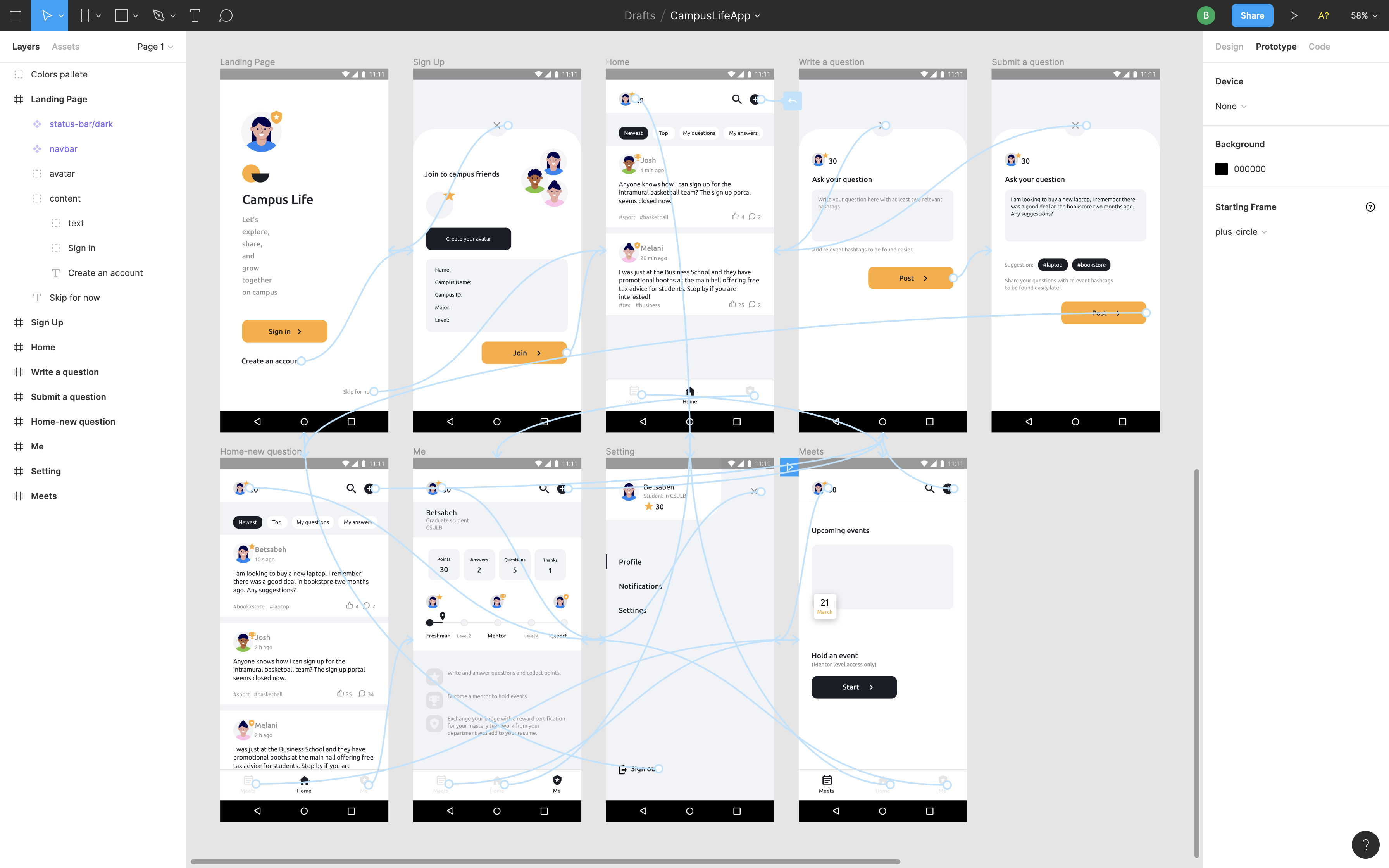
On the landing page, there are three interactive buttons to start the application. For this prototype, I assume my user persona, Betsabeh, is using the app for the first time and will start by selecting the “Create an account” button. After signing up on the app and selecting her school campus, she will see the main home screen with three-item menus at the bottom of the page.
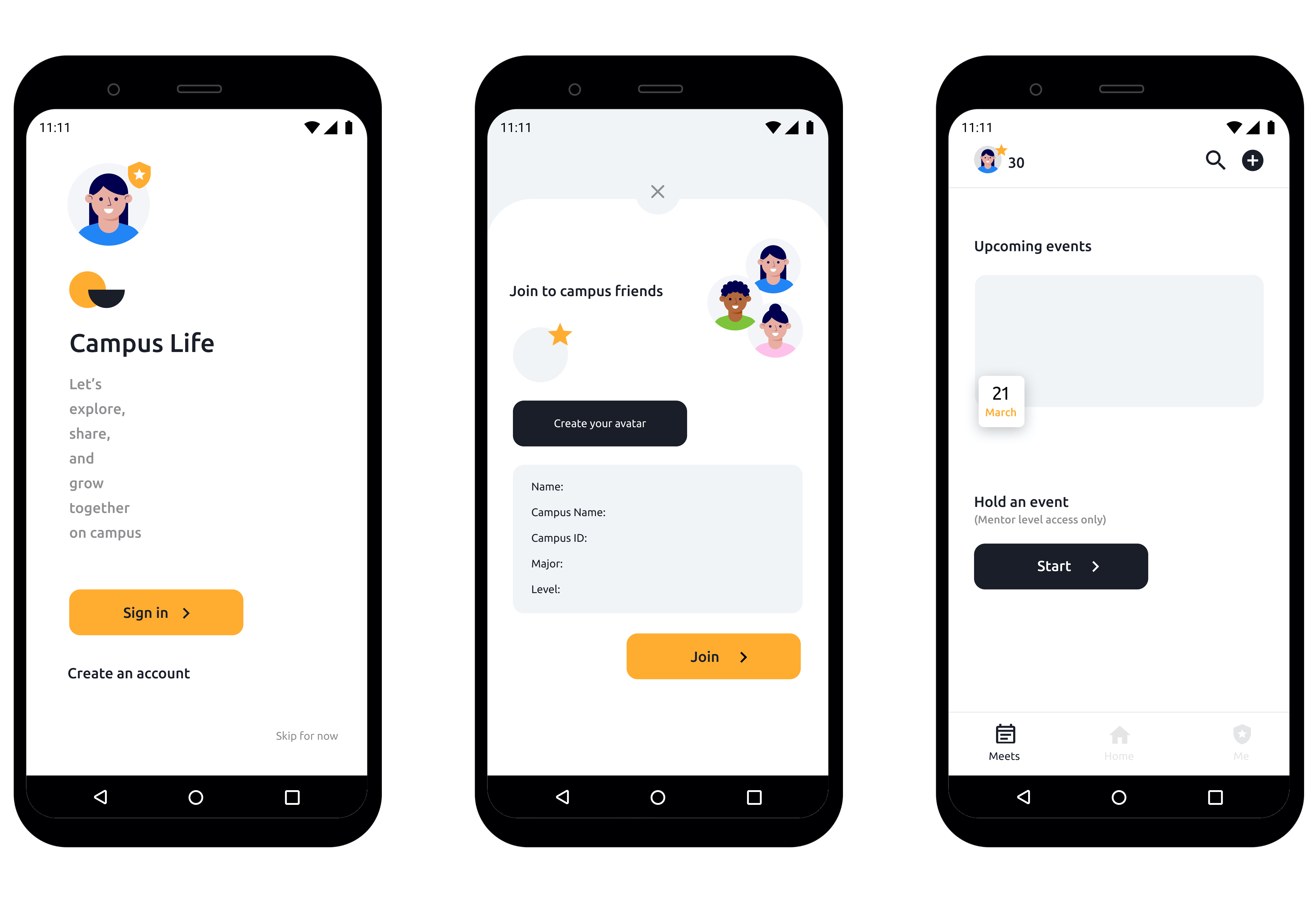
These item menus enable Betsabeh to look for any upcoming events happening on the campus, read the latest questions and answers from other students, and also access her profile and see her current status and acheivements. Now she can start a new conversation by asking a question from the other students. The app improves the searching function on the database by offering relevant hashtags. This will also help other users to find answers to similar questions and avoid duplicate questions.
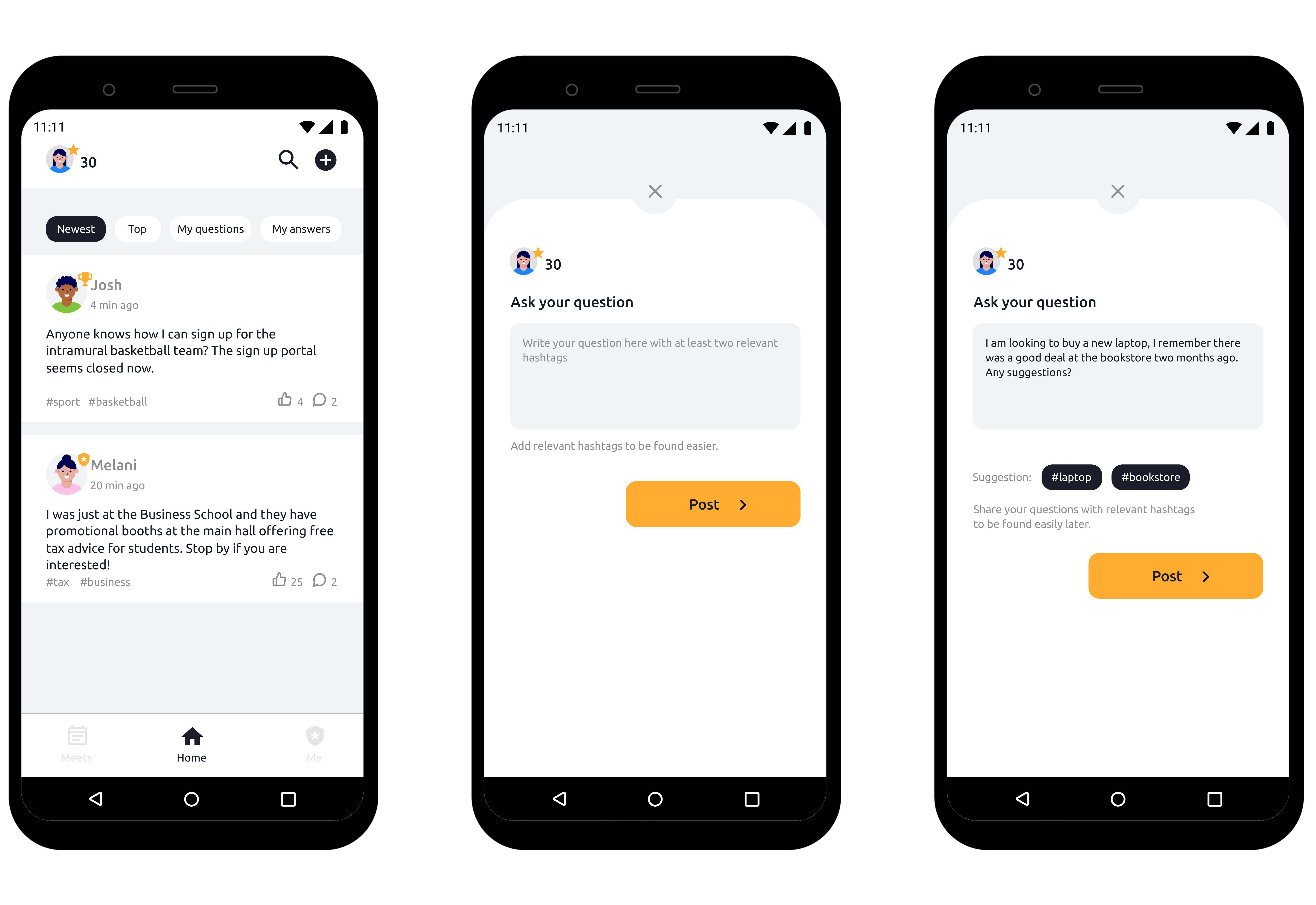
Betsabeh starts as a Freshman with introdutory points of 30 stars and can get additional stars by asking more questions, liking the best comments, and eventually answering questions and hosting events. As their ranking status improves over time by being more active in the application, they will level up, become a mentor, and eventually achieve the highest status of an “Expert”. Achieving that status enables the users to trade in their acheivement to an equipvalent award that is recognized and presented by the University and include in their resume.
Prototype
Primary case study: Google Design Exercise